Hecate Viewer — iPhone & iPad
Watch your assets arrive — live, on the map, in your pocket.


Hecate Viewer is the read-only companion to the capture app. It connects to the same MQTT broker, subscribes to the asset stream, and places every incoming object on a live map the moment it is published — with a chronological feed alongside for the play-by-play.
It is a pure viewer. It captures nothing, edits nothing, and publishes nothing; everything on screen came from your broker and lives only in memory.
One universal app for iPhone and iPad: on iPad the live map runs edge to edge, with the header and feed in a calm centred column — no split screen.
In one minute
- A live map, first. One pin per incoming asset, placed where it was captured. Fresh arrivals pulse teal; as they age they settle to grey. A feed tab shows the same stream newest-first.
- Assets fade out on a timer. Choose how long a received asset stays visible (minutes, or forever). Pins visibly shrink and fade as their time runs out, then leave map and feed together — so the map only ever shows what is current.
- Filter by profile. One tap on a profile chip narrows map and feed to that workflow, in its accent colour; one more tap brings everything back.
- Read-only by design. The viewer only subscribes — it never publishes to the broker and never writes a profile or an asset.
- Same broker, same data. Point it at your broker (or scan a provisioning QR) and it shows exactly what your credentials are allowed to read.
- One product. The same wire format and the same black-and-white visual language as the other Hecate apps; colour comes only from each object's profile accent.
Screenshots
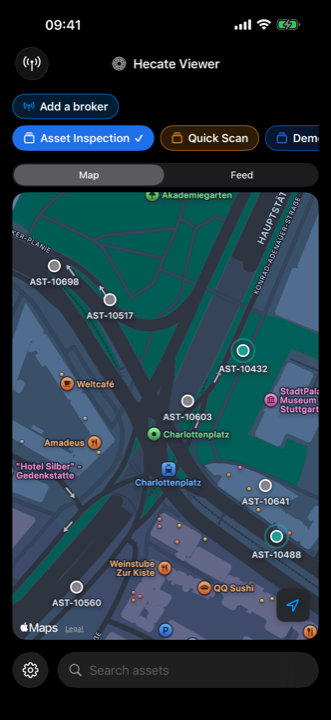
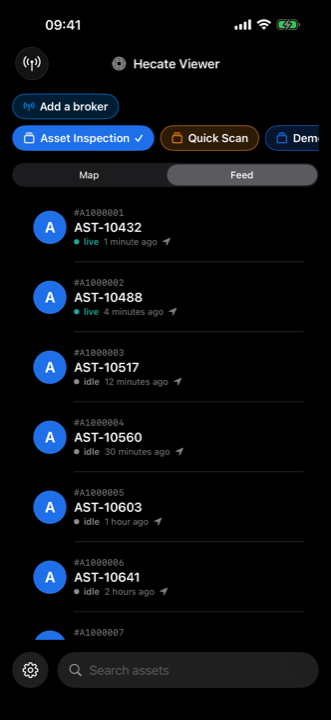
Screens come from development builds. Some may show features that require a subscription or arrive in a later release — what the free tier includes today is listed under Free & Pro.
What it shows
The viewer renders the live asset stream from the broker — each object's captured fields, its profile colour and name, and its position on the map. The broker's retained backlog fills the screen the moment you connect, so you never open onto an empty map while there is history to show; everything after that arrives live. What appears is governed entirely by your broker and its permissions, not by the app.
Setup
Connect the app to your MQTT broker — scan a provisioning QR from your administrator or enter host, port, TLS and credentials by hand (the password goes straight into the device keychain). Pull the profiles once, pick how long assets should stay on screen, and watch. There is nothing to configure about the data itself, because the data is defined by your profiles and published by the capture app.